Loupe Factory access control

Give every person the right level of access.

Loupe Factory helps SMB manufacturers and wholesalers control who can see and change orders, production, inventory, customers, suppliers, staff, pricing, invoices, integrations, and user settings.

Admins manage access. Managers run daily operations with sensitive details hidden. Members get focused access for the work they actually do.

Contact Sales View Plans

Admin, Manager, and Member roles Sensitive pricing and contacts protected Fast invites and role changes

Users and access
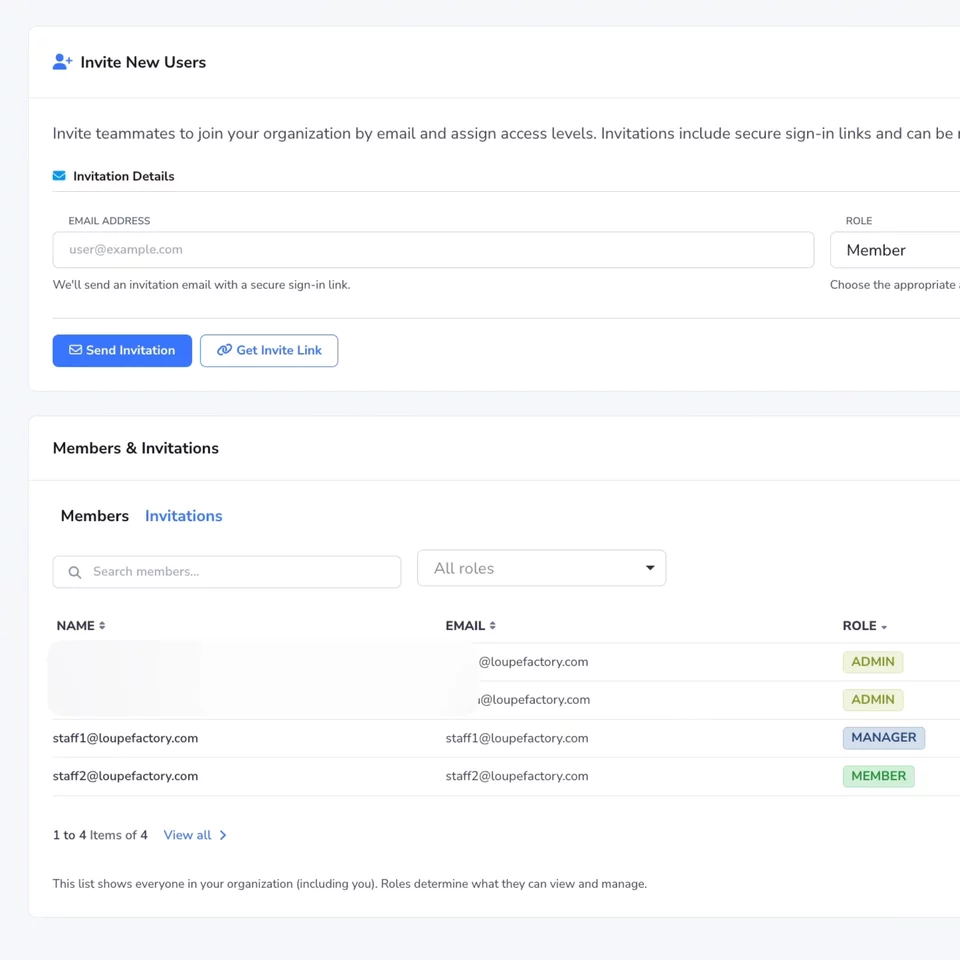
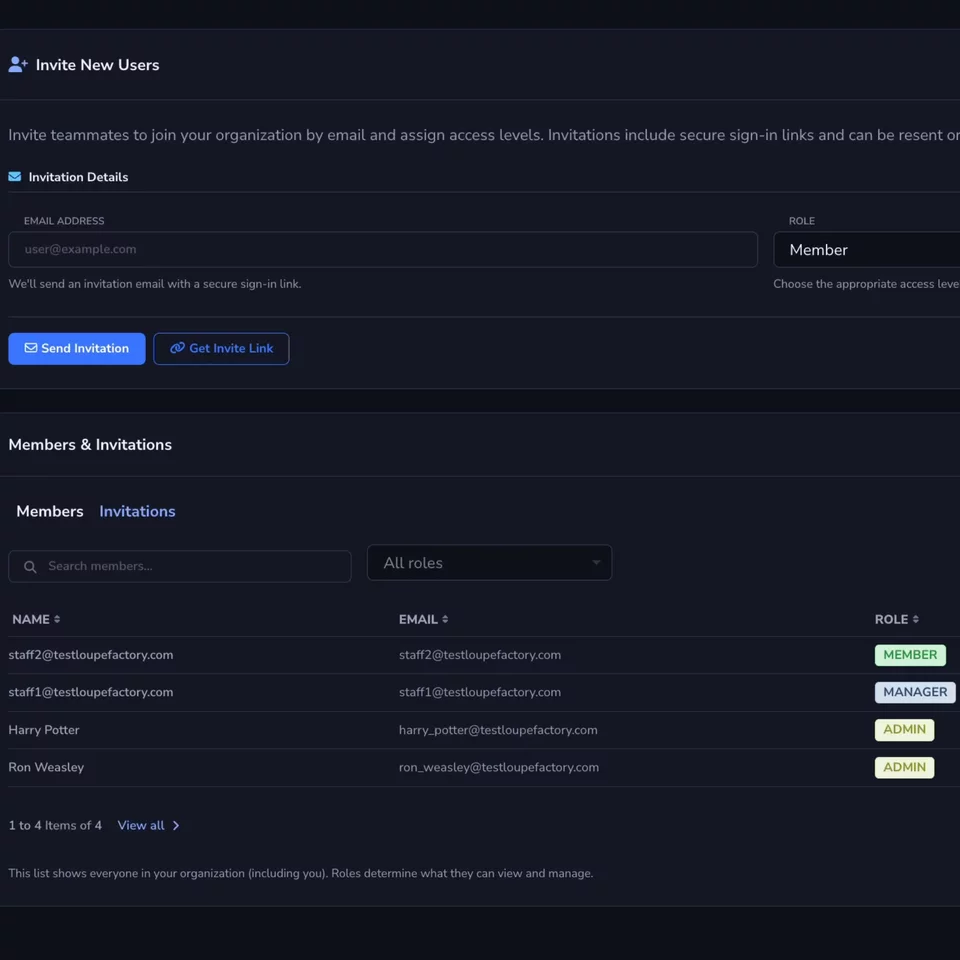
Invite the right people Add team members from one access screen.
Assign clear roles Pick Admin, Manager, or Member without custom setup.
Protect daily work Limit sensitive data while teams keep moving.

Default roles

Choose the smallest role that lets someone do their job.

Access control should not require a security team. Loupe Factory gives smaller manufacturers and wholesalers simple roles that match the way operations, leadership, and floor teams usually work.

01

Admin

For owners, operators, finance leads, and trusted leaders who manage setup, people, integrations, pricing, billing-related settings, and sensitive business records.

Full setup and sensitive access

Use Admin for people who should control the workspace, not just work inside it.

02

Manager

For production leads, warehouse managers, and operations supervisors who need to run inventory and production, but should not manage users, integrations, pricing, customer details, supplier details, or staff contact information.

Operations access with sensitive details hidden

Managers can move the work forward without seeing every commercial or admin detail.

03

Member

For team members who need limited daily access, such as checking inventory availability or helping update production work, without access to customers, suppliers, shipments, invoices, integrations, user settings, or pricing.

Focused day-to-day access

Members get enough context to contribute without exposing the rest of the business.

Sensitive information

Protect the records that can hurt margins, trust, or compliance.

In a growing manufacturing or wholesale business, not everyone needs customer lists, supplier details, staff contacts, invoice pricing, or integration settings. Loupe Factory keeps those areas limited by role so teams can work without oversharing.

Security Company Data Isolation People Management

Customer and supplier details stay limited

Managers can support operations without seeing hidden customer or supplier information. Members do not access those areas by default.

Staff records are visible only where needed

Admins can manage staff records. Managers may view staff records with contact details hidden. Members do not need staff management access.

Pricing and currency access is controlled

Inventory pricing, primary currency, and related settings stay restricted so margin data is not exposed to every user.

Invoices, exports, and integrations are not open to everyone

Admins control commercial records, report exports, Shopify, QuickBooks Online, Tally, and user invitations based on role.

Least-privilege access is easier to follow

Start people with the role they actually need. If their work changes, update the role from Users and Access instead of sharing logins or exporting data.

Why it matters

Built for smaller teams that still need grown-up controls.

SMB manufacturers and wholesalers often have people wearing multiple hats. RBAC keeps that flexibility while reducing the risk of accidental edits, overexposed pricing, and uncontrolled exports.

Protect margins

Keep original inventory values, price basis, invoice pricing, and currency settings limited to the people who should see them.

Reduce accidental changes

Give production and warehouse teams access to the work they own without opening customer records, integrations, or workspace settings.

Onboard faster

Invite someone, choose the right role, and let the system handle what they can see and change across Loupe Factory.

Managing access

Invite, assign, adjust.

Admins manage user roles from Admin Settings, then Users and Access. Role changes update what a person can see and do the next time they work in Loupe Factory.

1

Open Users and Access

Go to Admin Settings, then open the access area where admins manage team members.

2

Invite or update the user

Invite a new person or open an existing member record when someone changes responsibilities.

3

Assign Admin, Manager, or Member

Choose the role that matches their job, save the change, and keep access consistent across the workspace.

Secure operations

Give your team access they can use and controls you can trust.

Loupe Factory helps manufacturers and wholesalers run daily work without exposing every price, contact, invoice, integration, and admin setting to every employee.

Contact Sales View Plans

Simple defaults for growing teams Better control over sensitive records Built into Loupe Factory security

Supercharge your business

With Artificial Intelligence ✨

Get started with Loupe Factory

Cookies & Privacy

We use non-essential cookies (like analytics) to improve your experience. In your region, consent is required. You can change your choice anytime in Privacy Choices. Learn more.

You can update your cookie choices. Manage cookies