Artificial Intelligence

Loupe Factory AI

Ask your business anything, and put practical AI to work across orders, inventory, production, imports, and export paperwork.

Loupe Copilot answers plain-language questions from your live data, while built-in AI summarizes long records, structures messy files into reviewable tables, drafts storefront product descriptions from item details, and turns quick product photos into studio-ready images. Every result stays reviewable before it becomes action.

Copilot answers from live data Review-first AI output Usage controlled with AI credits

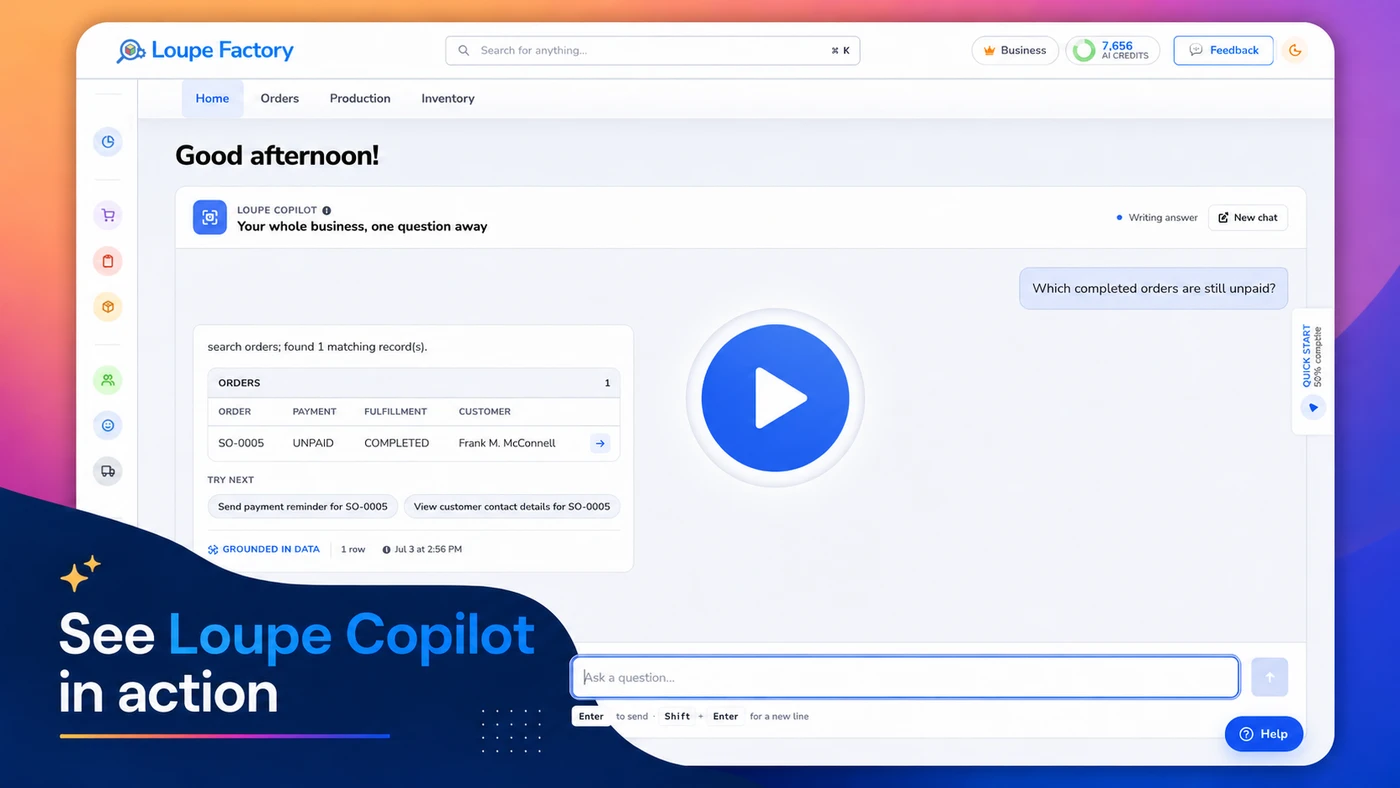
Loupe Copilot in action
Ask Questions about sales, stock, jobs, and customers.
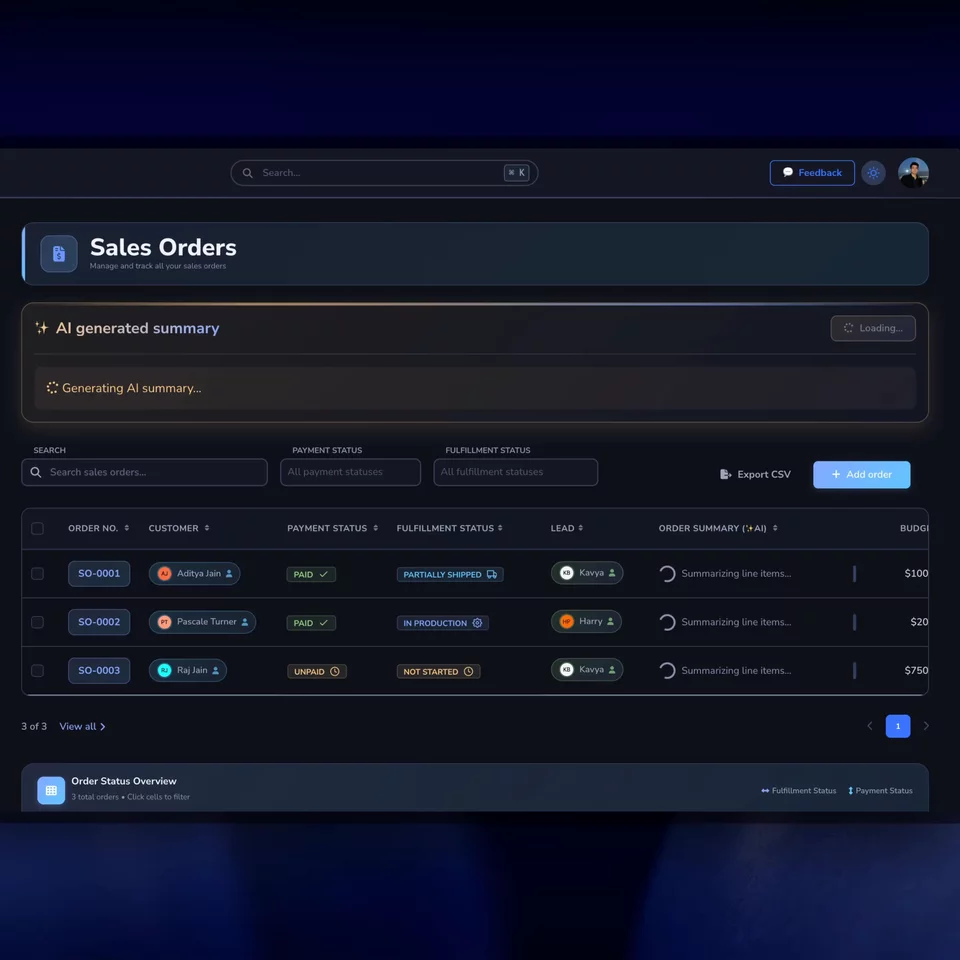
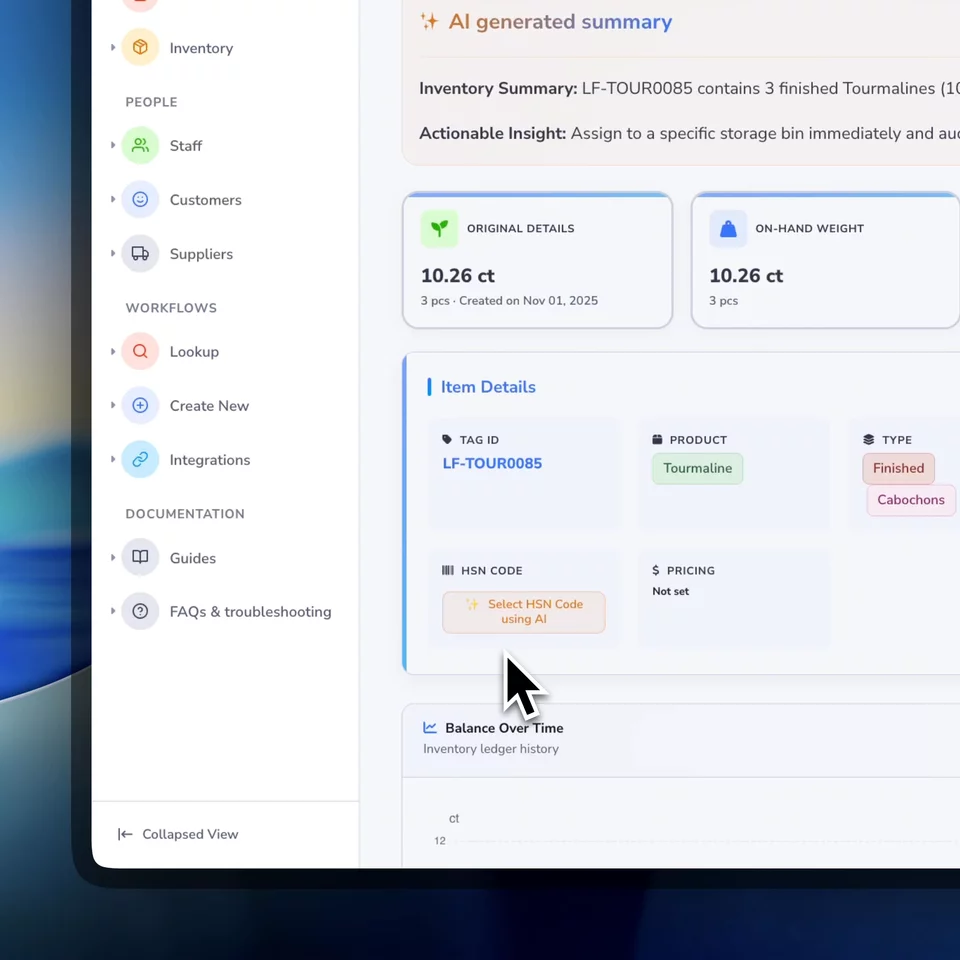
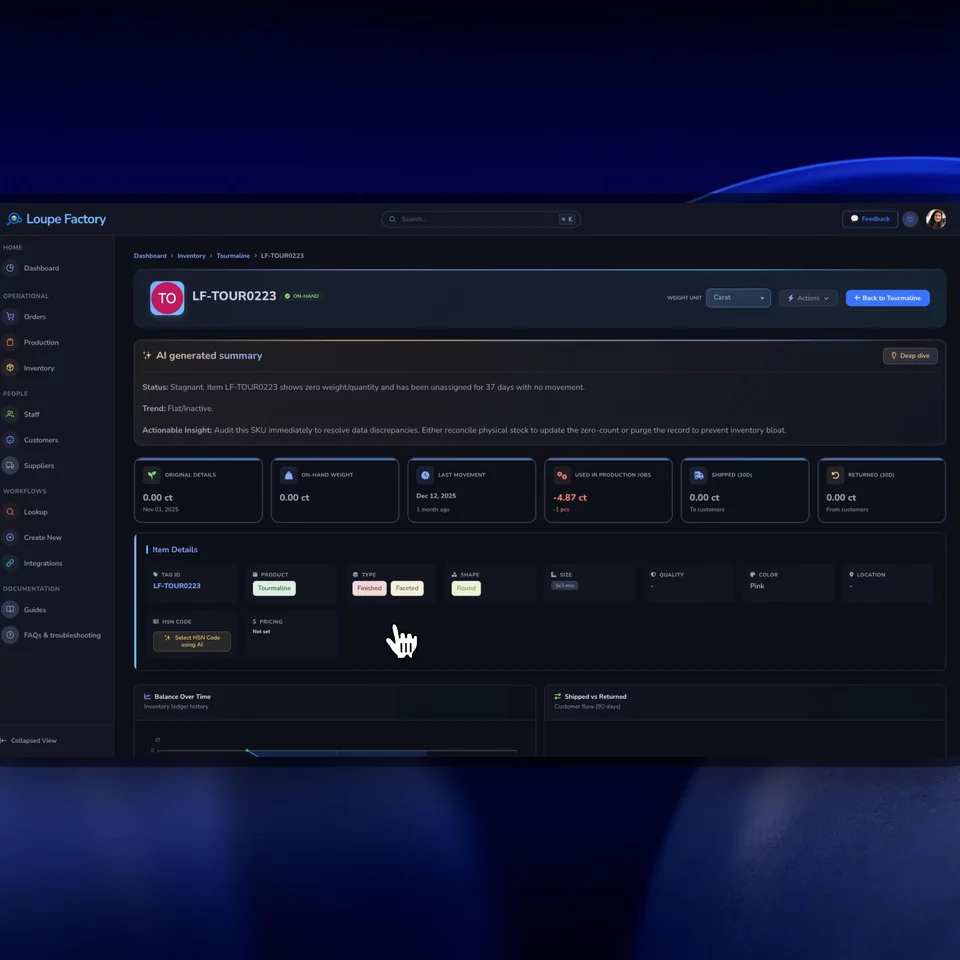
Summarize Orders, jobs, inventory, notes, and dashboards.
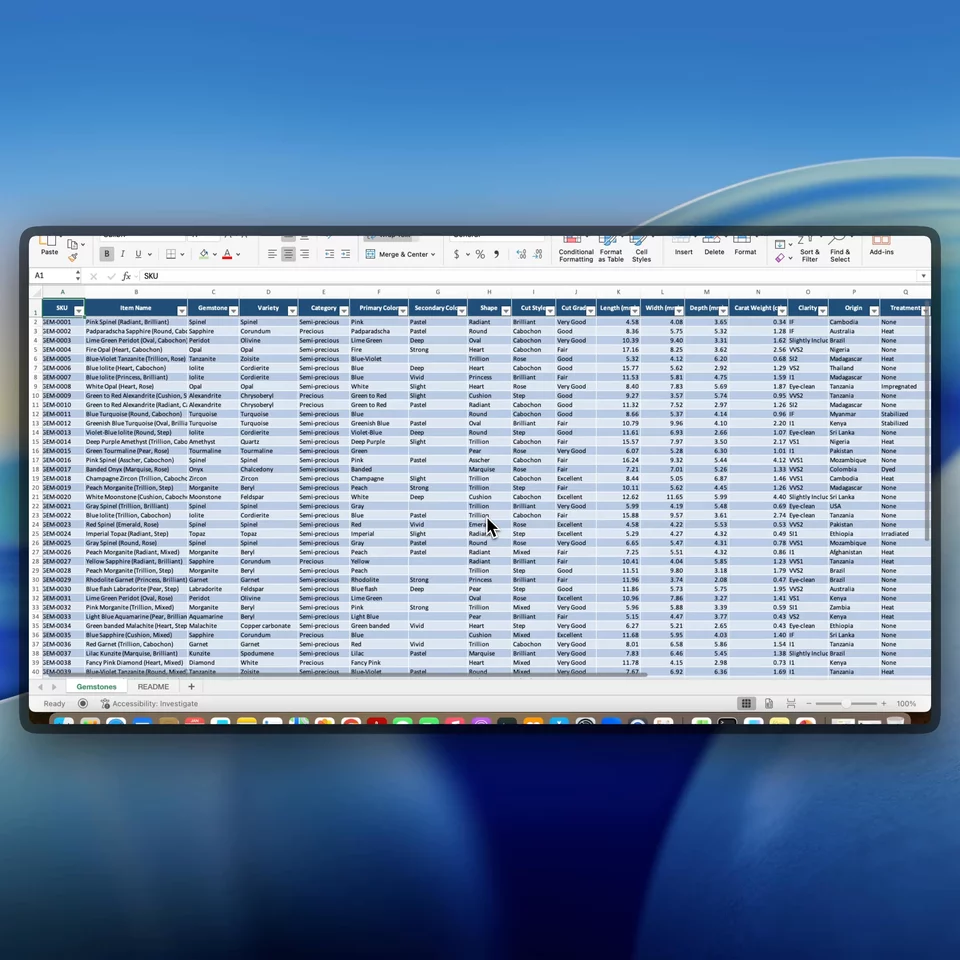
Structure CSV and Excel data before records are created.
Suggest HS and HSN classifications for team review.

The operating principle

Useful AI starts with the business record your team already trusts.

Loupe Factory AI is not a separate chatbot asking operators to copy and paste business data. It works from the order, inventory item, production job, customer, supplier, or import your team is already reviewing. That is why Loupe Copilot can answer a plain-language question with the exact records behind it.

01

Bring the right context together

AI starts from live operational records such as quantities, weights, due dates, notes, locations, product details, customer history, and job status.

Orders | Inventory | Production | People

Your team does not have to rebuild the story from scattered tabs before asking a question.
02

Generate a draft your team can inspect

Loupe Factory AI can summarize, classify, clean up imported data, or explain why a suggestion fits the record. The output is concise, but it keeps enough detail for review.

Summaries | Suggestions | Parsed tables

Fast enough to save time, explicit enough for a manager to judge.

03

Let people approve the action

For work that affects inventory, imports, customs, or customer commitments, AI supports the decision. Your operators and managers stay responsible for what gets applied.

Human review | Audit context | Controlled usage

That matters when the business is moving real stock, real orders, and real money.

Loupe Copilot

Know what needs attention.

Ask Loupe Copilot about orders, stock, production, shipments, or invoices. Get a clear answer from your live data, with links to the records behind it.

Find what can ship, which jobs are running late, or which payments are outstanding without piecing together spreadsheets. When a question needs outside context, Copilot can bring in current web information and show its sources.

Read-only by design. Copilot respects each person's permissions and answers from your records without changing them.

Loupe Copilot Live data

Which orders are ready to ship?

Found 3 orders ready to ship. SO-0147 is still waiting on payment.

Orders3 rows
OrderCustomerPaymentFulfillment
SO-0142Frank M. McConnellPaidReady to ship
SO-0147Harlow & Pine Co.UnpaidReady to ship
SO-0151Meridian BridalPaidReady to ship

Which production jobs are running late?

Found 3 jobs past their deadline. The stone-setting job is 4 days behind.

Production jobs3 rows
JobStagePendingLate by
SET-RING-2026-0041Stone setting18.6 g4 days
POL-BAND-2026-0037Polishing42.0 g2 days
CAST-PEND-2026-0052Casting96.5 g1 day

Which finished goods are running low?

Found 3 finished items running low. The oval sapphire ring is down to its last piece.

Inventory3 rows
TagItemQtyLocation
SAPR0214Oval sapphire ring1 pcMain vault
DPEN0098Diamond solitaire pendant2 pcsShowroom
TBRC0061Tennis bracelet2 pcsMain vault

Which completed orders are still unpaid?

Found 3 completed orders still unpaid. SO-0118 is already overdue.

Orders3 rows
OrderCustomerPaymentFulfillment
SO-0118Northgate DesignsOverdueCompleted
SO-0126Frank M. McConnellPartially paidCompleted
SO-0133Luma AtelierUnpaidCompleted
Ask about

Example records shown. Choose a topic to explore.

Where it helps

Six practical AI workflows for B2B manufacturers and wholesalers.

These are everyday tasks where a second, context-aware pass can save time without asking your team to trust a black box.

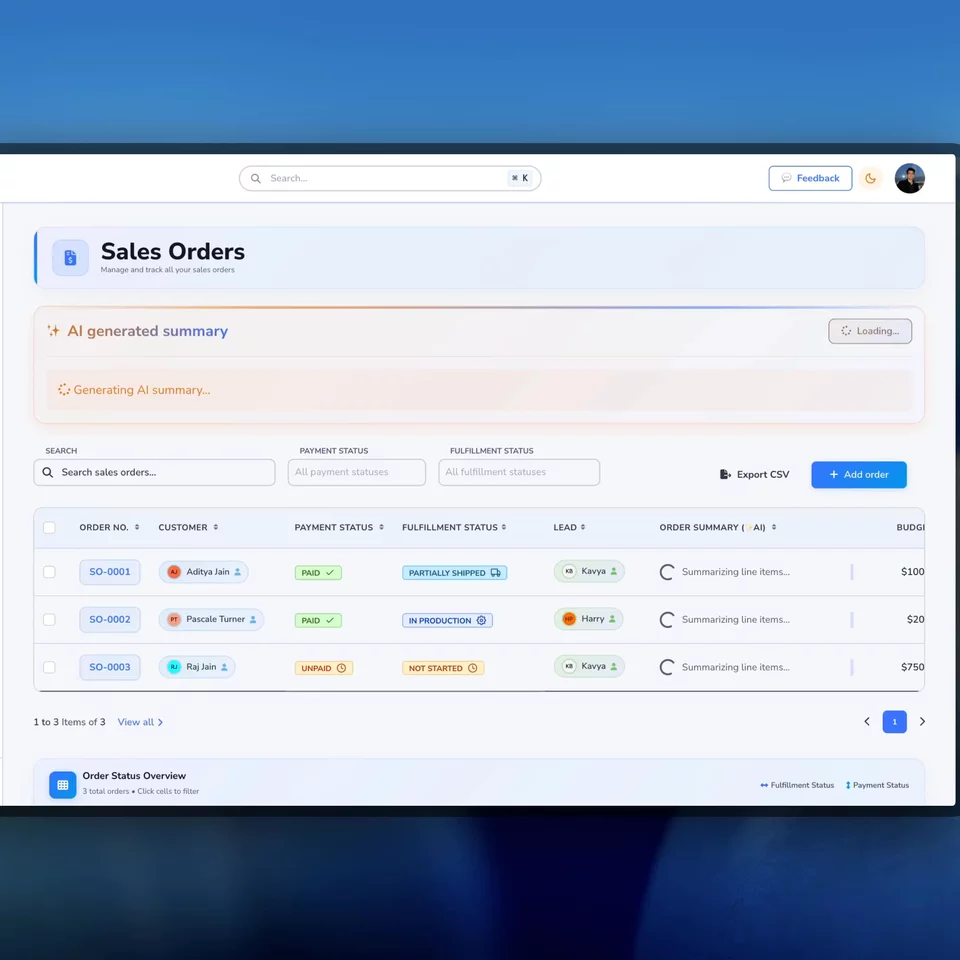
AI summaries

Summarize

Turn long operational records into the few lines that matter.

Use AI summaries on dashboards, orders, inventory, production jobs, customers, suppliers, and notes so managers can see status, exceptions, and next steps faster.

  • Explain what is late, blocked, pending, or ready for action.
  • Summarize dense notes without losing the operational context.
  • Help a global team understand the same record in plain language.
AI polish button

Polish

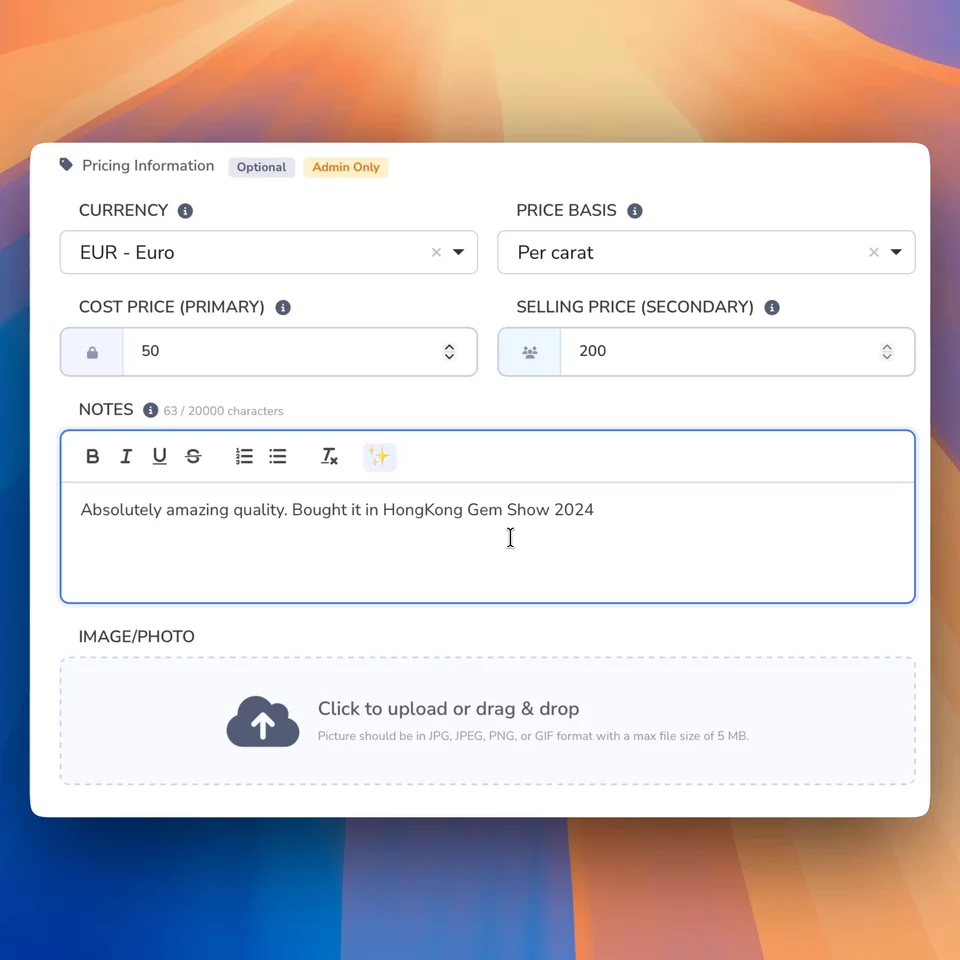
Polish notes before small mistakes become part of the record.

Use the AI polish button in notes fields across Loupe Factory, whether your team is updating a production job, inventory item, customer, supplier, order, or internal comment.

  • Correct spelling, wording, and formatting before notes are saved.
  • Keep operational context clear when multiple teams read the same record.
  • Reduce rework caused by unclear notes, missing detail, or rushed updates.
Spreadsheet import

Structure

Import supplier files and legacy spreadsheets with less manual cleanup.

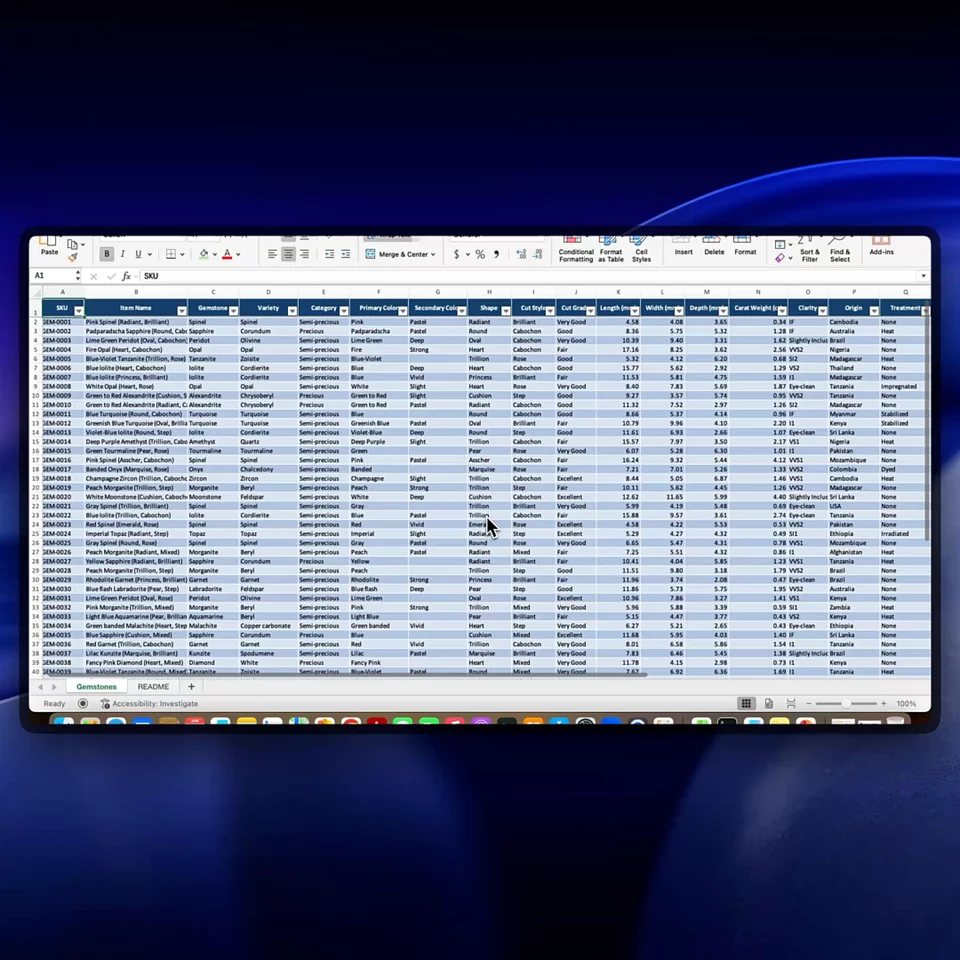
Upload CSV, XLS, or XLSX files and let AI help interpret the rows, headers, item descriptions, weights, quantities, and notes before your team confirms the import.

  • Review the parsed table before inventory records are created.
  • Catch missing fields and duplicates before they pollute live stock.
  • Move faster when suppliers use different spreadsheet formats.
HS and HSN lookup

Suggest

Find possible HS and HSN codes from the item details already in Loupe Factory.

AI can suggest up to three possible 6-digit HS codes with explanations based on product, material, type, weight, notes, and industry context. Your trade or compliance team chooses what to apply.

  • Speed up export paperwork research for repeat product families.
  • Show why a code may fit instead of returning a bare number.
  • Keep the final classification decision with your responsible team.
AI product images

Present

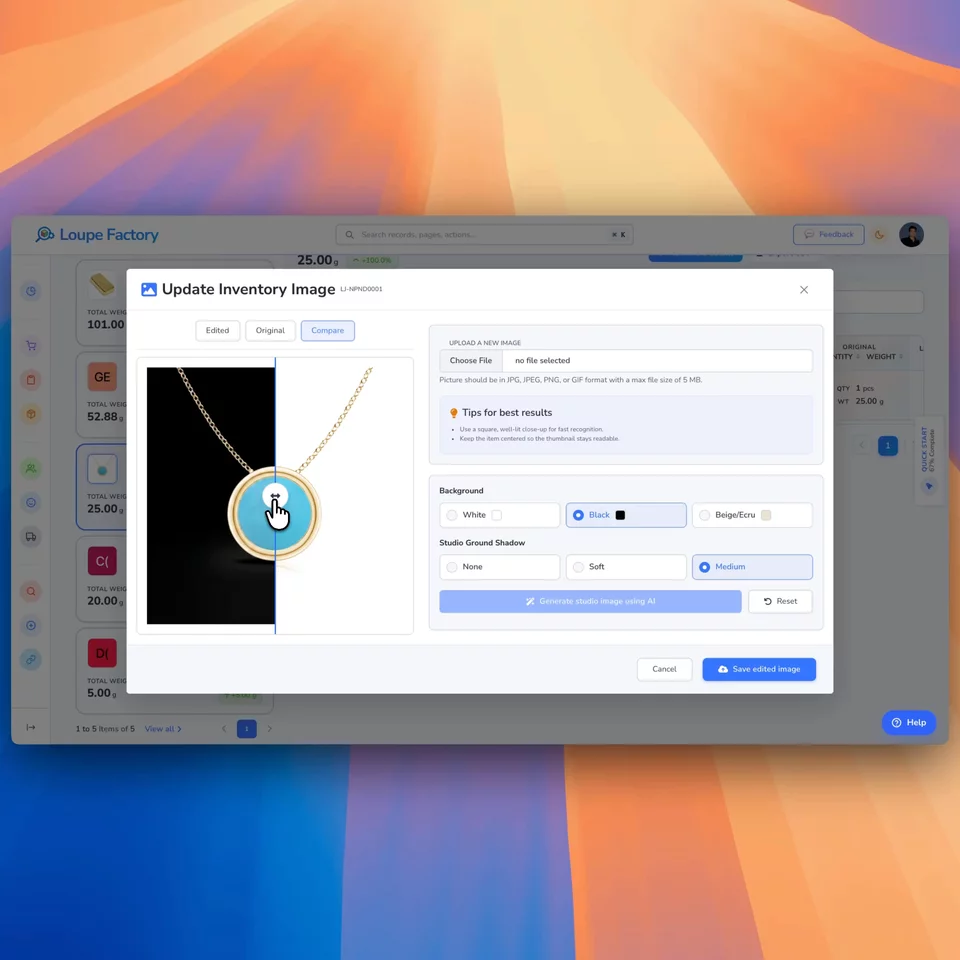
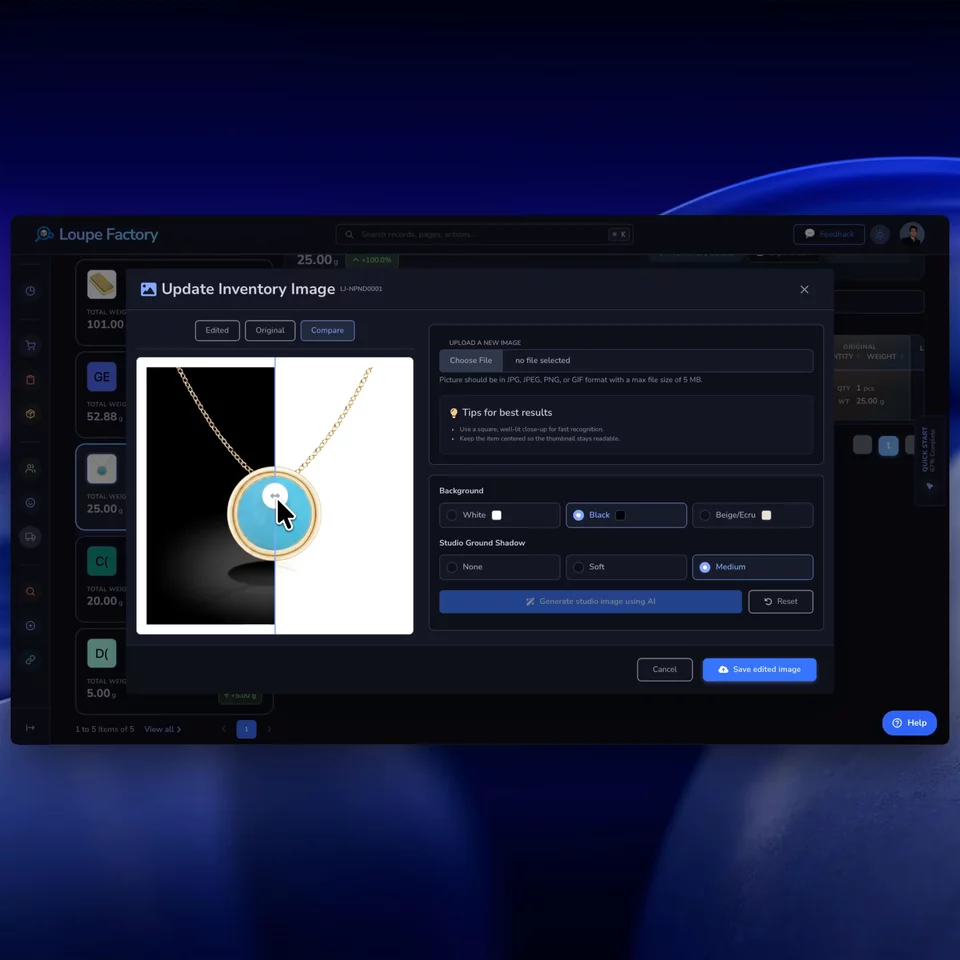
Make inventory photos look catalogue-ready without touching the actual product.

Clean up distracting backgrounds and add natural shadows with AI, so the quick photos your team takes during receiving, QC, or sales follow-up become presentation-ready. The product itself stays exactly as photographed, so what a buyer sees is still what ships.

  • Replace busy backgrounds and add realistic shadows for a consistent studio look.
  • Keep the real product untouched, so images stay honest for serious B2B buyers.
  • Reuse one clean image across catalogues, quotes, approvals, and online listings.
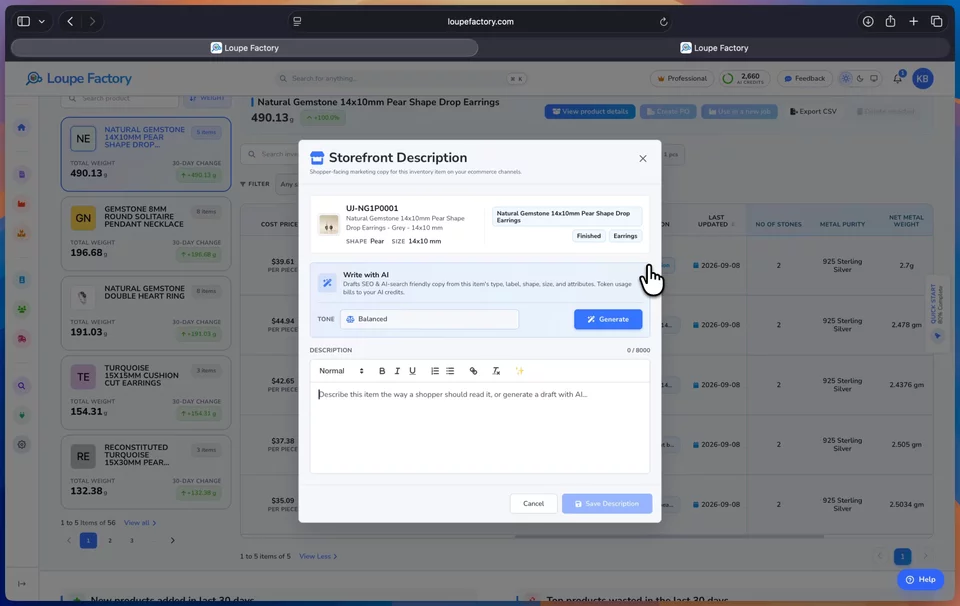
Storefront descriptions

Describe

Draft the storefront description from the details already on the item.

Admins and managers pick a writing tone, and AI turns the item's type, shape, size, weight, and attributes into shopper-ready copy inside a full editor. The team reviews and edits the draft, and the saved description lives on the item record with the change noted in its history.

  • Choose Balanced, Luxury, Technical, Warm, or Concise to match your brand's voice.
  • Costs, internal pricing, and private notes are kept out of the copy by design.
  • Structured openings and detail lists help search engines and AI assistants read the listing.

Business controls

AI should be powerful, but it should also be accountable.

Loupe Factory keeps AI close to the workflows where teams already have context, permissions, and managers. That makes the feature easier to adopt and easier to govern.

  • Review-first output

    AI generates drafts, summaries, parsed tables, and suggestions. Your team reviews before applying changes to live operations.

  • AI credit visibility

    Admins can see plan allocation, remaining credits, purchased credits, usage history, and overage settings from the AI Credits page.

  • Built into role-based workflows

    Teams use AI from the Loupe Factory areas they already work in instead of moving sensitive operational context into a separate tool.

  • Private, read-only Copilot

    Loupe Copilot reads only your business's data, keeps sensitive fields out of answers, never changes records, and never uses your information to train AI models.

  • Designed for global operating language

    AI features understand practical B2B details such as units, weights, product context, exports, HS and HSN terminology, and operational notes.

  • Graceful fallback

    If an AI response is unavailable, core Loupe Factory records remain usable and the interface tells the team to review the underlying data directly.

FAQ

Questions serious operations teams ask before using AI.

AI is most useful when it is specific about what it can do, clear about what people still need to review, and simple enough for every team to understand.

Loupe Copilot is the assistant built into the Loupe Factory dashboard. Ask a question in plain language, such as which orders are ready to ship, and it answers from your live sales, inventory, production, shipment, and invoice data, with links to the records behind the answer. It is read-only, respects each person's permissions, and never uses your business data to train AI models.

AI features are designed to produce summaries, suggestions, parsed tables, and draft text for review. Work that affects inventory, imports, customs classification, or customer commitments should still be confirmed by your team before it is applied.

Yes. Loupe Factory AI can suggest possible 6-digit HS codes using the inventory item context and provide short explanations. It is a research aid, not legal or customs advice. Your responsible trade or compliance team should make the final selection.

It can help reduce manual cleanup by interpreting CSV, XLS, or XLSX imports and turning them into a reviewable table. Your team can still check the parsed fields, fix missing details, and confirm the import before records are created.

No. The image editing is designed to clean up the background and add natural shadows for a studio-style look while keeping the actual product as photographed. That matters for B2B buyers, because the catalogue image should still match what you ship. Your team reviews the edited image beside the original before saving it to the record.

Yes. Admins and managers can open a storefront description editor on any inventory item, and AI drafts shopper-ready copy from the item's own details, such as type, shape, size, weight, and attributes, in five selectable writing tones. Costs, internal pricing, and private notes are excluded by design, and your team reviews and edits the draft before it is saved on the record.

AI credits are allocated by plan and used when AI-powered features run. Admins can review remaining credits, plan allocation, purchased credits, usage history, and overage settings from the AI Credits page.

Practical AI

Give your team AI where the real operational work already happens.

Loupe Factory AI helps global B2B manufacturers and wholesalers move faster with Loupe Copilot answers, summaries, imports, storefront descriptions, and classifications, without separating intelligence from the system of record.

Copilot answers from live data Operational summaries Spreadsheet import assistance Storefront product descriptions Studio-ready product images

Supercharge your business

With Artificial Intelligence ✨

Get started with Loupe Factory

Prefer a guided demo? +1 (332) 699-7338 hello@loupefactory.com

Cookies & Privacy

We use non-essential cookies (like analytics) to improve your experience. In your region, consent is required. You can change your choice anytime in Privacy Choices. Learn more.

You can update your cookie choices. Manage cookies